
Why Your Google Ranking Looks Different to Customers (and How to See the Real One)
Google personalises local results to each searcher's location and device. Here is why your own searches mislead you and how…

Use code "DIWALI20" till Nov 30 :Save up to 20%
How Google Maps grid rank tracking works, which grid size to choose, what average rank and top-3 coverage mean, and why one ranking check is not enough.
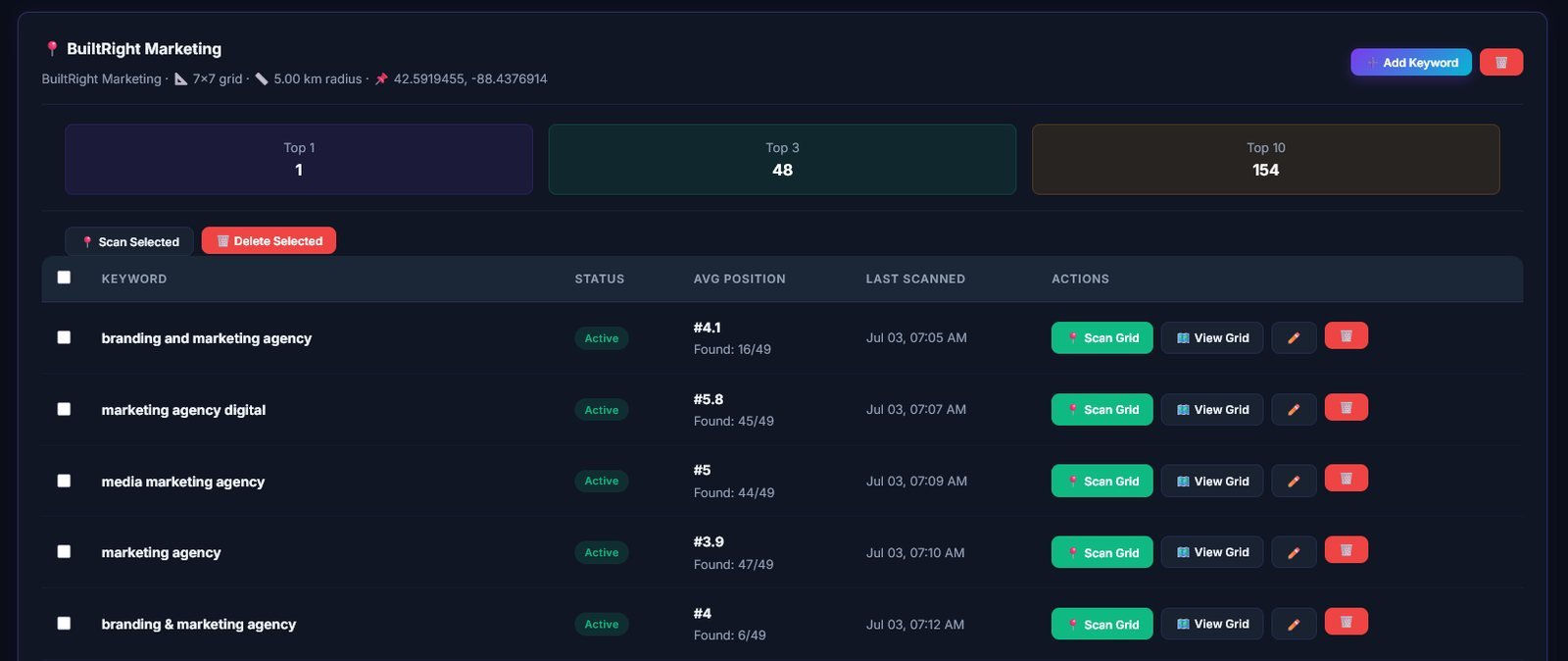
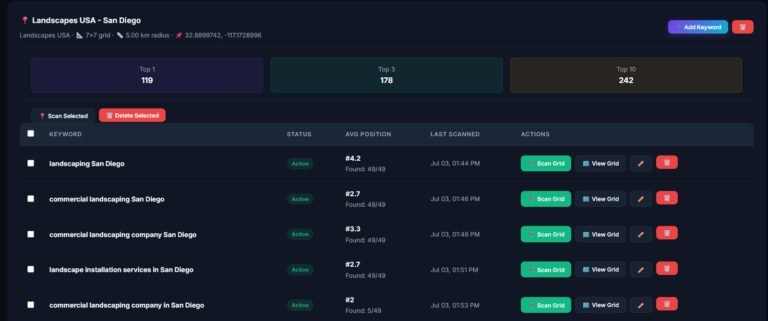
“Where do we rank on Google Maps?” sounds like a simple question, but for a local business it has no single answer. Your position changes depending on where the customer is standing. A Google Maps grid rank tracker answers the question properly by checking your ranking from many points across your service area at once.
Key takeaways
A Google Maps grid rank tracker places a grid of points over your service area and searches your keyword from each point, recording your map position at every location. The result is a colour-coded map: green where you rank in the top three, orange where you are on the list but lower, and red where customers will struggle to find you.
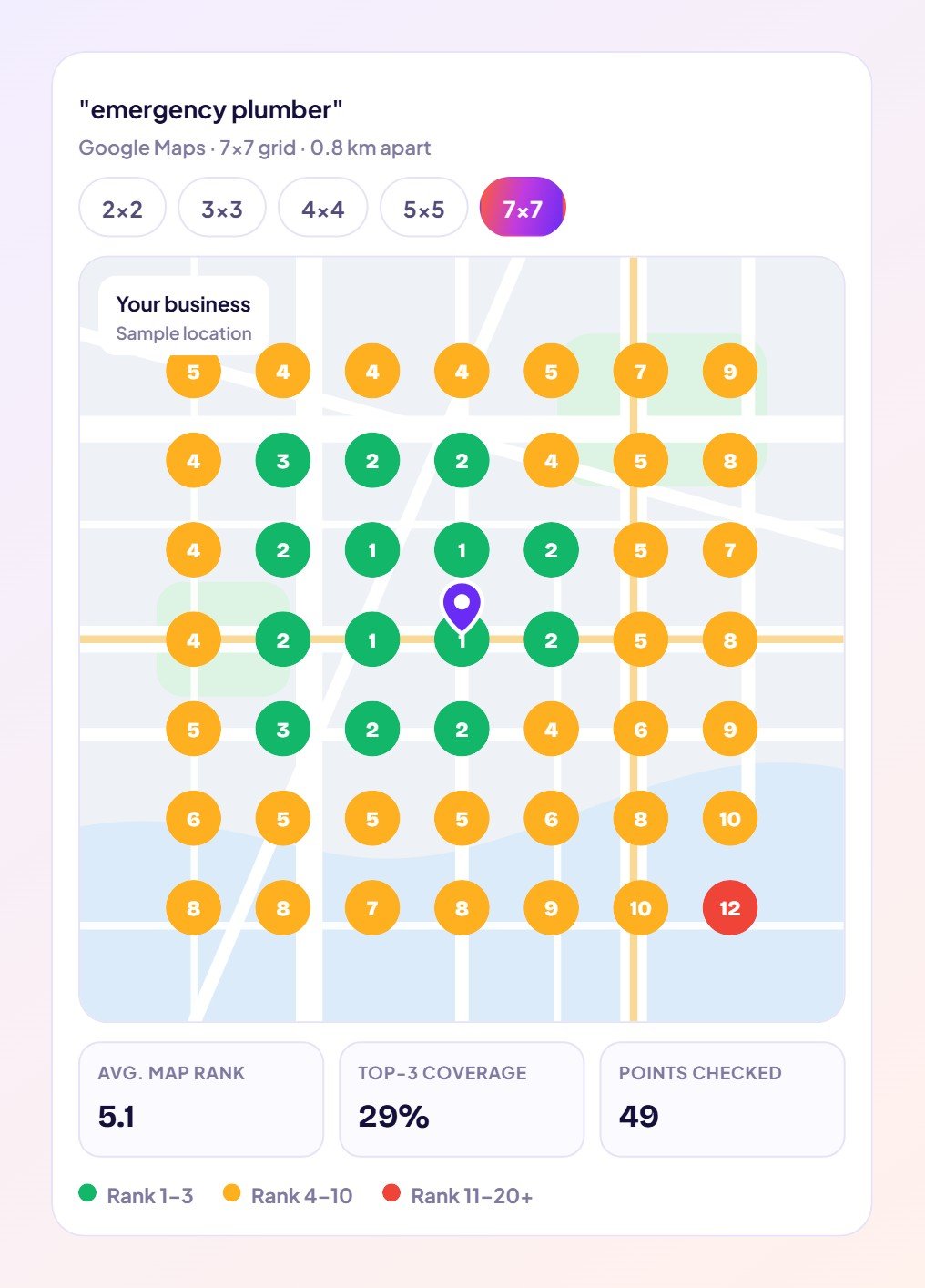
| Grid | Points | Best for |
|---|---|---|
| 2×2 | 4 | A quick daily pulse on one keyword. |
| 3×3 | 9 | Small neighbourhood service zones. |
| 4×4 | 16 | A balanced view of where you lead and slip. |
| 5×5 | 25 | Spotting the streets and blocks competitors own. |
| 7×7 | 49 | Full coverage of your whole service area. |
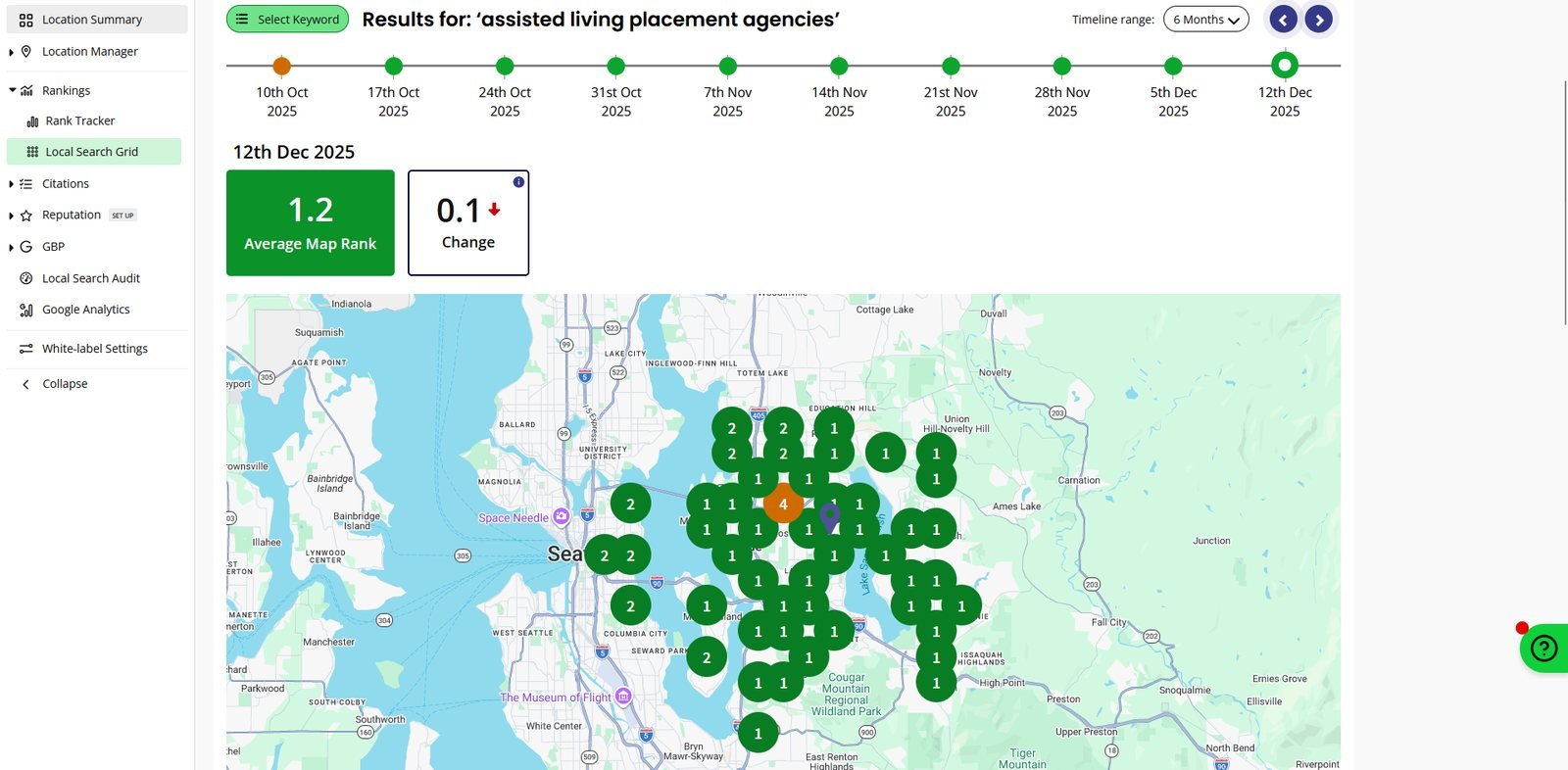
Because one number hides the areas where you are losing customers. A single check from your office might say #1. The grid might show you are #1 in the centre but #9 on the edges, where half your potential customers live. That tells you exactly where to focus reviews, local pages and citations.
Run 2×2 to 7×7 map grids from exact locations and see where you win, where you slip and who beats you.
See how the Local Rank Tracker works → | Start in The Brand Fly CRM →
Each point is searched from its exact location without your personal search history, so the result matches what a customer standing there would see.
It depends on your service area. Dense city areas suit points around 0.5 to 1 km apart; wider rural areas can use larger spacing.
Yes. Add each keyword you want to win and run a grid for each, so you can compare where you rank for different services.
Monthly for a full picture, or weekly for your most important keyword while you are actively working on local SEO.
See your own map grid today: open The Brand Fly CRM and run a scan for your top keyword.

Written by the strategy team at The Brand Fly — a Google Partner and Meta Business Partner helping local businesses in the US, Canada, Dubai, Australia and India get found on Google, Maps and AI search for more than ten years.
Google personalises local results to each searcher's location and device. Here is why your own searches mislead you and how…
A step-by-step way to write SEO-friendly blog posts with AI: pick a real keyword, generate the draft, add your voice…
Use Google Search Console to find quick-win keywords and content gaps, then turn them into blog posts that rank, with…
Send us your website and market. Within two working days a strategist will show you where your enquiries are going instead — and what to fix first.
Pick whichever is easiest for you.
Get my free audit → 💬 WhatsApp +91 99888 88525 Browse our servicesOffice hours: 9:00 AM – 10:00 PM IST