
What Is a Google Maps Grid Rank Tracker and How Does It Work?
How Google Maps grid rank tracking works, which grid size to choose, what average rank and top-3 coverage mean, and…

Use code "DIWALI20" till Nov 30 :Save up to 20%
Google personalises local results to each searcher's location and device. Here is why your own searches mislead you and how to see your real local ranking.
You search for your main service on your phone, see your business at the top of Google Maps and feel great. Then a customer two kilometres away searches the same thing and finds three competitors before you. Both of those results are real. Google personalises local results to the exact location of the person searching, and to their search history.
This article explains why your own searches are misleading and how to see the ranking your customers actually see.
Key takeaways
Because Google tailors local results to where the searcher is standing, which device they use and what they have searched before. When you search from your own shop, you are standing right next to your business. Google naturally ranks you highly there. A customer on the other side of town gets a very different list.
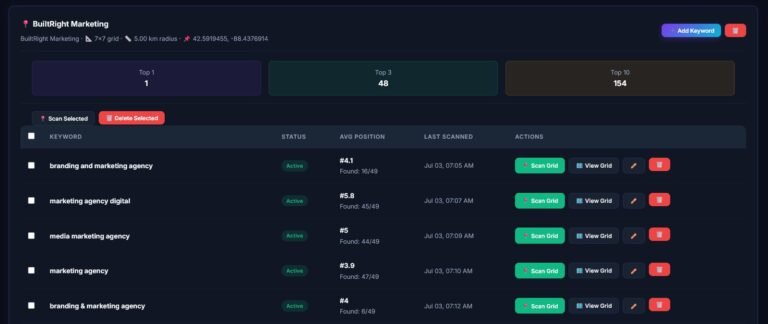
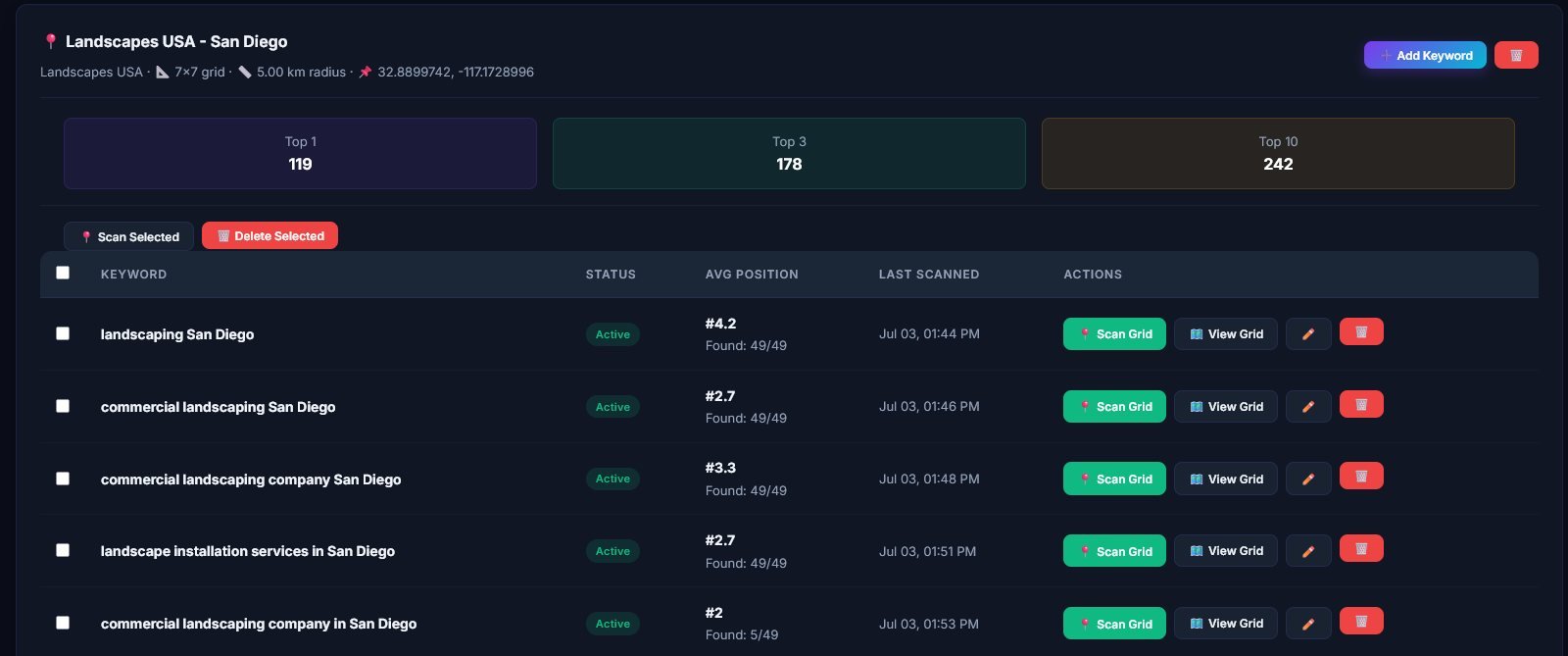
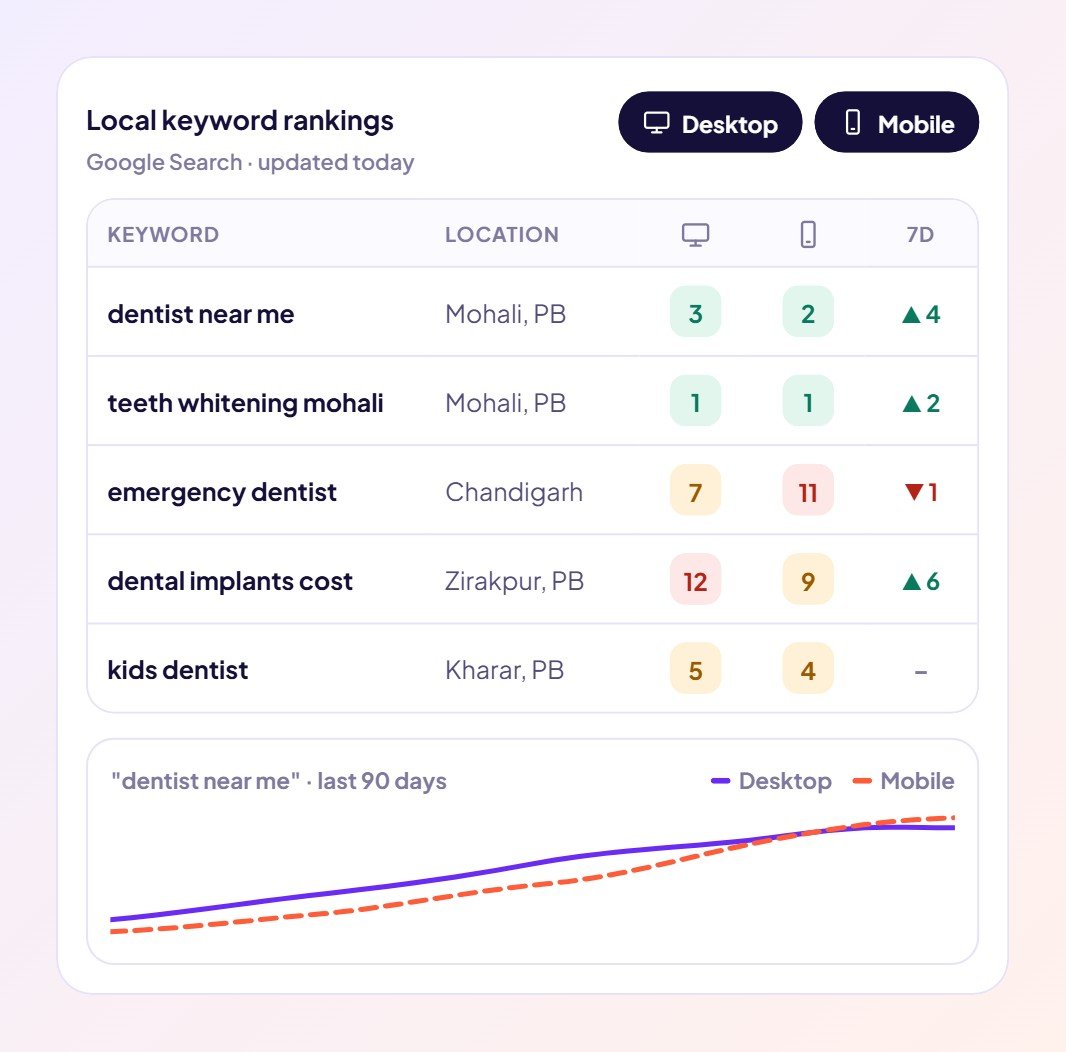
Use a rank tracker that searches from specific locations, separately on mobile and desktop. The Brand Fly Local Rank Tracker does this in two ways:
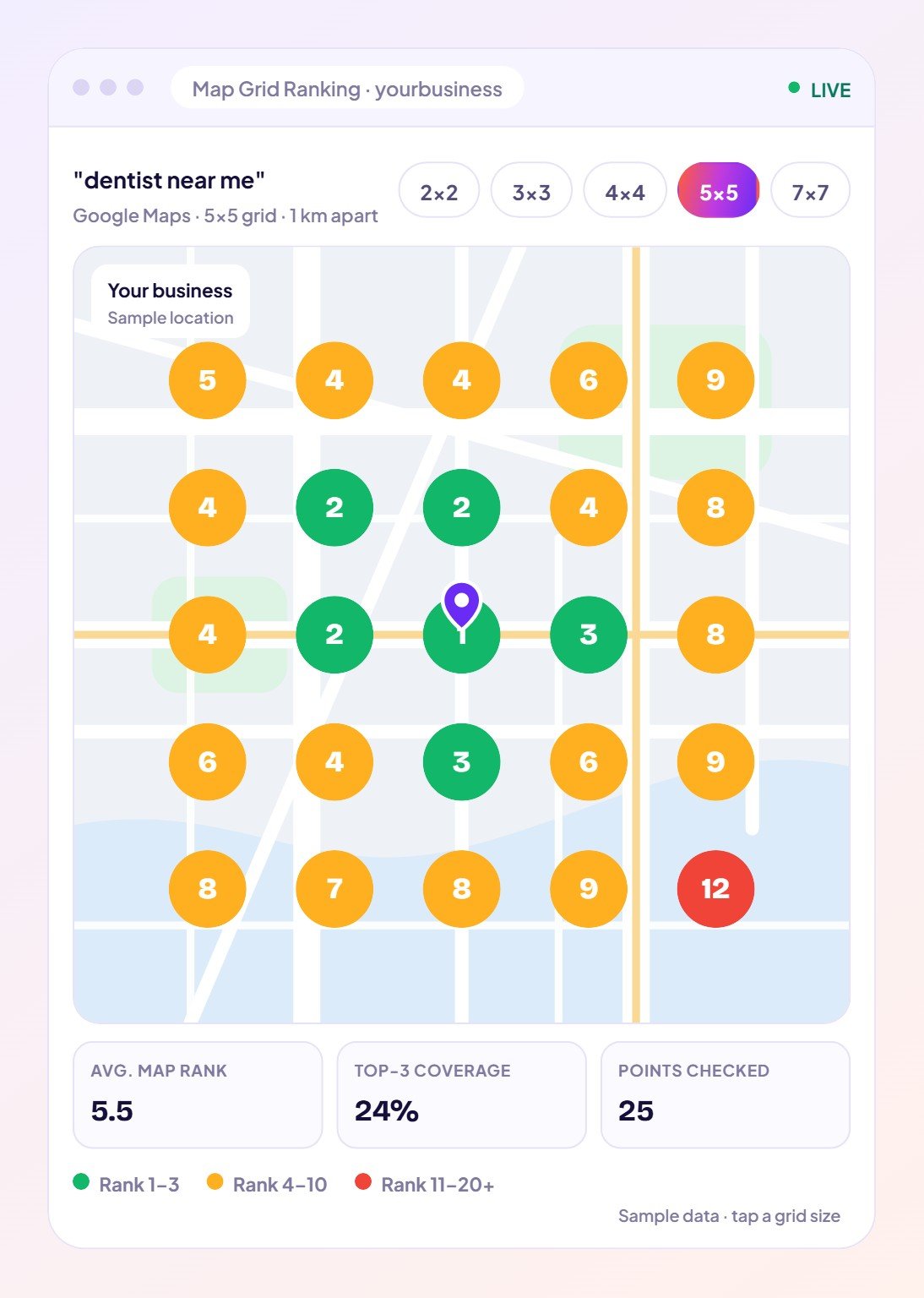
A grid shows your map ranking at many points across your area, so you can see where you win and where you are invisible. You might be in the top three around your office but drop to position 12 on the far side of town. That is where you are losing calls.
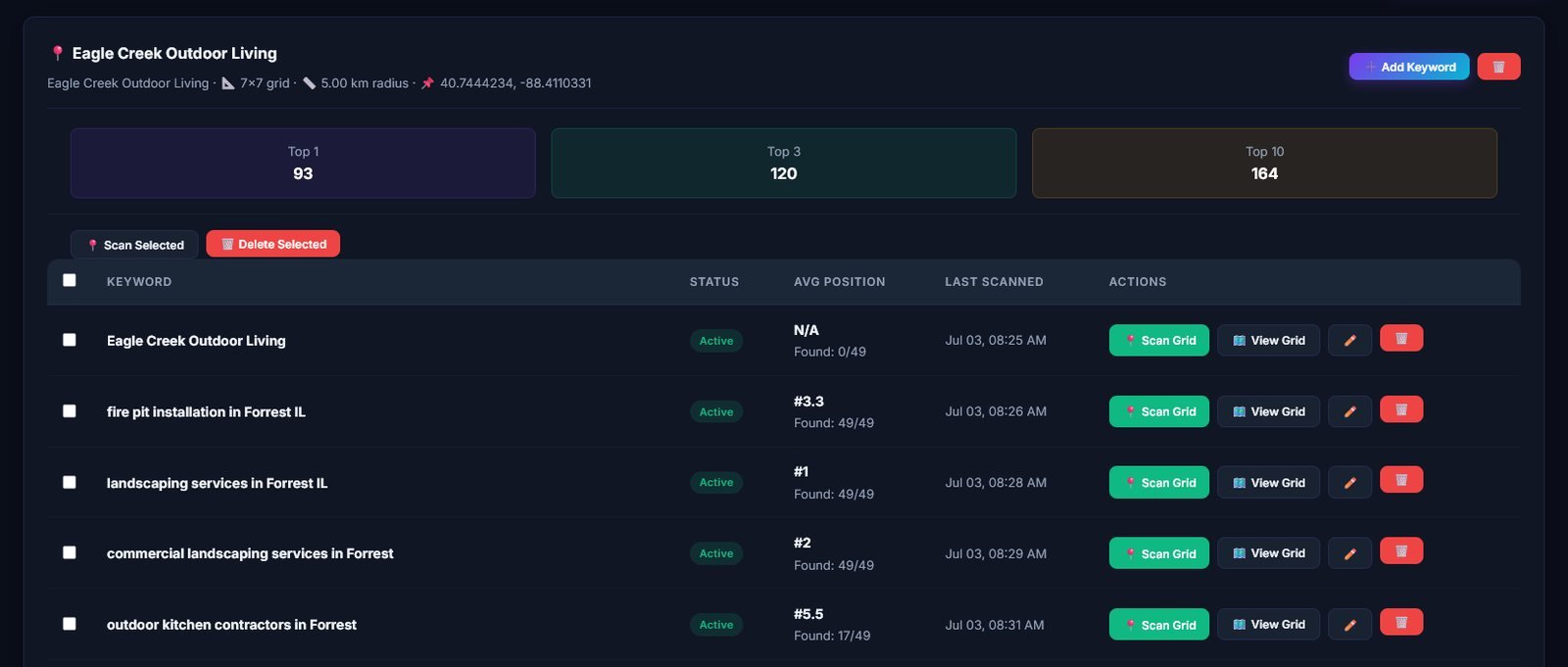
Check your key terms weekly and run a full grid monthly. Weekly checks catch sudden drops; monthly grids show the trend and whether your local SEO work is paying off.
Track Google Search positions in any city on mobile and desktop, and map your Google Maps ranking across your whole service area.
See how the Local Rank Tracker works → | Start in The Brand Fly CRM →
Google personalises results to your location and history. Searching from your own business puts you right next to it, so you rank higher for yourself than for most customers.
Only partly. Incognito removes some history, but results are still based on your current location, so you still only see one spot.
A tool that checks your Google rankings from specific locations, often on both mobile and desktop, so you see what customers in each area see.
Each grid point is searched from its exact location, the way a real customer’s phone searches, giving results you can make decisions on.
Find out what your customers really see: open The Brand Fly CRM and run your first ranking report.

Written by the strategy team at The Brand Fly — a Google Partner and Meta Business Partner helping local businesses in the US, Canada, Dubai, Australia and India get found on Google, Maps and AI search for more than ten years.
How Google Maps grid rank tracking works, which grid size to choose, what average rank and top-3 coverage mean, and…
A step-by-step way to write SEO-friendly blog posts with AI: pick a real keyword, generate the draft, add your voice…
Use Google Search Console to find quick-win keywords and content gaps, then turn them into blog posts that rank, with…
Send us your website and market. Within two working days a strategist will show you where your enquiries are going instead — and what to fix first.
Pick whichever is easiest for you.
Get my free audit → 💬 WhatsApp +91 99888 88525 Browse our servicesOffice hours: 9:00 AM – 10:00 PM IST